
 Sara, 21, student
 Diego, 26, video editor
01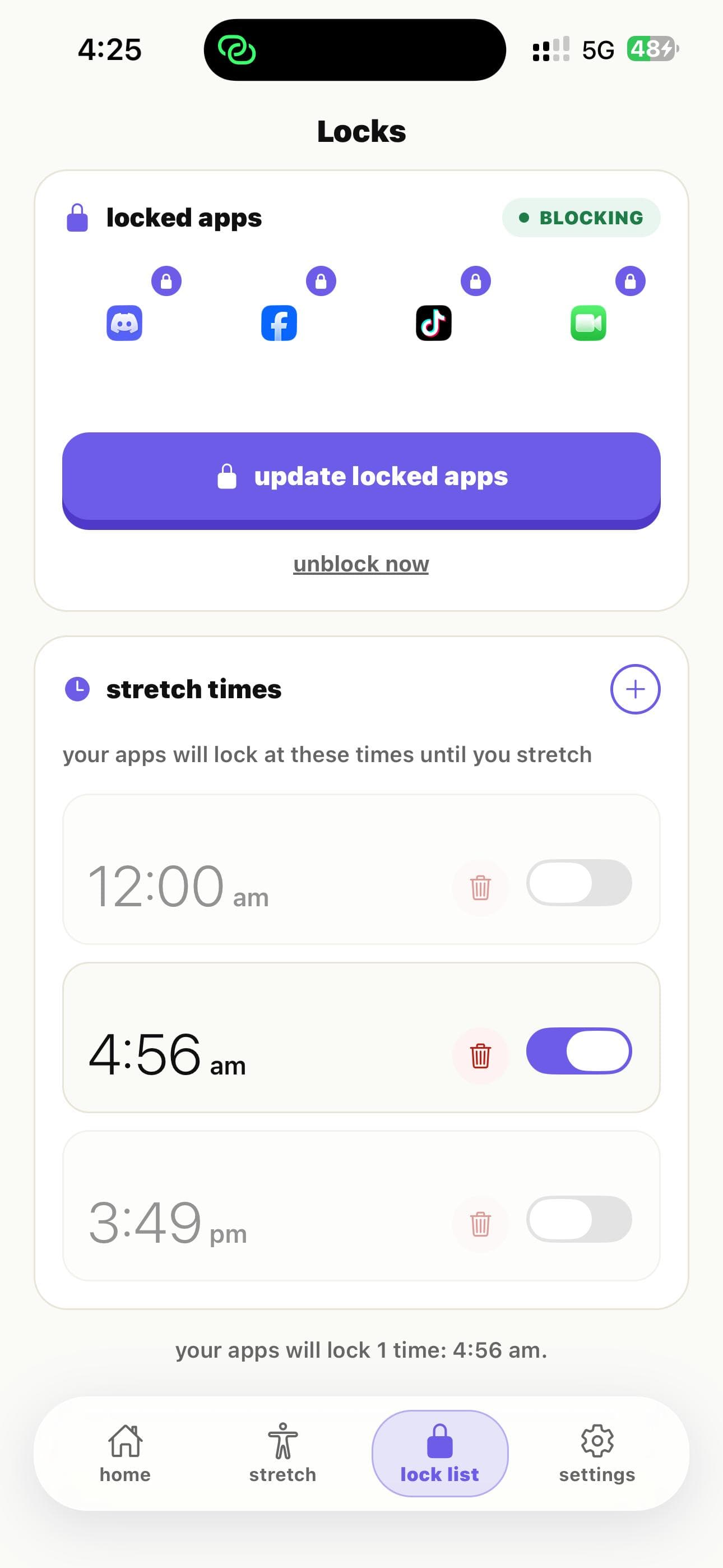
lock TikTok
Add TikTok — and any other app you open too often — to your locked apps list.


StretchLock locks TikTok and puts a quick stretch between you and the For You page, so one scroll stops turning into an hour.
“I used to lose whole evenings to TikTok. The stretch pause is just enough to make me put the phone down and get back to studying.”
 Sara, 21, student
“I've deleted and reinstalled TikTok a dozen times. Locking it with a stretch is the first thing that's actually worked without giving it up completely.”
 Diego, 26, video editor
the problem
one tap opens the feed
the fix
stretch to unlock
result
choose before you scroll
StretchLock puts those same apps behind a short guided stretch, so the scroll starts with a pause instead of a reflex.
how StretchLock helps.
Add TikTok — and any other app you open too often — to your locked apps list.
Pick a 20-second neck, shoulder, wrist, eye, or back stretch to sit in front of the For You page.
The pause breaks the autopilot tap into TikTok, so you decide whether to scroll instead of falling into the feed.
every scroll session is 20 minutes you won't get back. put the stretch first — download StretchLock and take back the next one.
free to start · no card needed · ready in 2 minutes
Every time you reach for TikTok out of habit, the stretch step gives you a moment to notice — and choose — before the feed pulls you in.
Each stretch before TikTok opens adds up to real time back by the end of the week, without deleting the app.
Interrupting the automatic TikTok open means fewer mid-task detours into the feed, so focus blocks stay intact longer.
The same stretches that unlock TikTok also loosen the neck and shoulder tension that builds up from long scroll sessions.
Every TikTok open you'd normally lose to the feed becomes a small stretch streak instead.
StretchLock adds a 20-second stretch before TikTok opens. That pause breaks the autopilot tap into the For You page, so you decide whether to keep scrolling instead of falling into it.
No. StretchLock locks TikTok instead of deleting it, so you keep the app but add a stretch before it opens every time — no reinstalling, no starting over.
Yes. Lock TikTok along with Instagram, YouTube, or any other app you open too often, all with the same stretch-before-unlock setup.
StretchLock is a gentle pause, not a hard block. You can finish the short stretch to unlock — most people find the pause is enough to stop the mindless scroll.
Yes. Everyone starts on Free with a limited number of stretch unlocks a day. Upgrade later only if it changes how you use TikTok.